
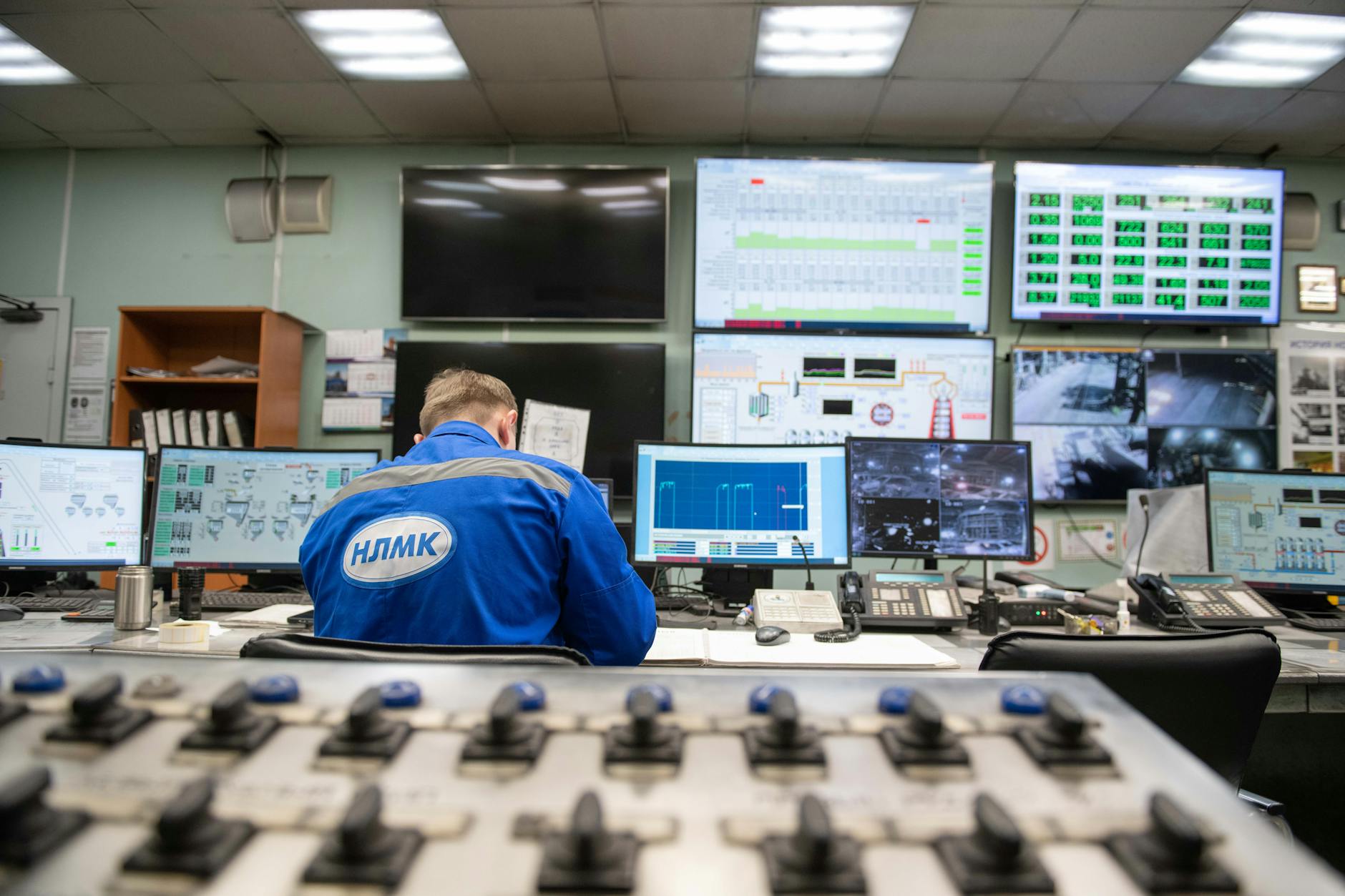
How fast does an alert actually reach a screen when the network is congested?
Factory floors do not run on best-case network conditions. During a peak shift, production telemetry floods the switches, forklifts push mobile data, and the odd engineer’s laptop hogs bandwidth for a CAD render. An alert that takes two seconds in a lab can stretch to five when every device is competing for the same pipe. The difference matters when a fire alarm or lockout tagout must override everything else.
The system here does not wait. It does not queue behind a rotating banner or a live camera feed. Instead, each screen polls the server for new messages on its own schedule, every few minutes, regardless of what else is happening on the network. When an alert arrives, the device checks its cache first. If the message is already stored locally, it takes over immediately. Only if the cache is empty does the screen ask the server for the latest content, and even then it interrupts whatever is playing as soon as it has enough data to display.
This works because the alert does not travel as a single packet. It arrives in chunks, and the screen starts rendering as soon as the first part arrives. A warning about a blocked conveyor does not need the full graphic to be useful. The words “STOP LINE” in bold, over a red background, are enough to halt the shift. The rest loads in the background while the message remains visible. By the time the network clears, the screen has already done its job.
The trade-off is that the server must store every possible alert locally on each device. A screen with cached content can still show a critical message if the Wi-Fi drops for a short time. But that storage takes up space, and older alerts eventually expire. The result is a system that prioritises speed over polish, messages appear fast enough to matter, even when the network is fighting back.
Overlay permission is what breaks first, here’s why your screens go blank mid-shift
A factory floor’s digital signage fails silently when the screens refuse to show alerts. The problem is not the network or the content, it is the permission to interrupt what is already playing. Without it, an emergency update or shift handover data sits in a queue, never reaching the operator.
This permission, called display over other apps, is the first thing to break when IT, safety teams and production managers disagree on who controls the screens. A production manager might grant it to show line status updates, while the safety team revokes it to prevent distractions. The result is a screen that plays its loop perfectly, until an alert arrives and does nothing. The panel flags screens that cannot draw over another app before you need them, but the fix is not technical. It is a process: someone must approve the permission, and someone else must not remove it.
The conflict often starts at handover. A night shift operator needs to see a critical update, but the screen is locked into a maintenance video. The alert appears on the panel as delivered, but the screen shows nothing. No error message. No log. Just silence. The same happens with third-party integrations: a PLC sends an urgent maintenance code, but the screen ignores it because the permission was disabled after the last IT audit.
Below are three common setups and how they handle interruptions. The choice depends on who controls the screens, and who can enforce the rules.
| Setup | Who Grants Permission | What Happens When Revoked | Who Notices the Failure |
|---|---|---|---|
| IT-managed devices | Corporate policy, no exceptions | Alerts queue behind scheduled content | IT helpdesk at the end of a shift |
| Safety-locked screens | Fire/safety team only | Emergency alerts vanish; routine updates show | Shift supervisor during roll call |
| Production-controlled | Line managers per department | PLC updates disappear; shift boards freeze | Production coordinator at 3 AM |
The fix is not to remove the permission. It is to document who granted it, when it was last checked, and what happens if it is removed. Without that, the screens work until they don’t, and by then, the cost is not just the missed alert. It is the downtime that follows.
Your digital shift boards are live, until the third-party integration fails at 3 AM
When an ERP or MES system updates shift schedules, the signage depends on that data reaching every screen before the first worker clock-in. If the API call times out, the screen does not fall back to a cached schedule, it simply stops updating. Without a heartbeat from the device, the management panel marks the screen as offline, even though it is still displaying the old shift times. The next morning, operators arrive to find outdated information, while the facilities team scrambles to confirm whether the issue is a network blip, a server error, or a broken integration.
The problem worsens when the third-party system returns data in an unexpected format. A missing field, a misplaced comma, or an unsupported date format can cause the signage app to crash silently. The screen may show a blank slate or revert to a default image, but it will not log the failure. No alert triggers, no email is sent, and no one notices until a shift supervisor points out that the wrong team is scheduled. By then, the delay has already disrupted production.
Future-proofing requires two safeguards. First, the signage app must validate incoming data before processing it. If the API response lacks critical fields, the app should reject it and hold the last known good schedule until the issue is resolved. Second, each screen must cache not just the current schedule but also the previous one, so a failed update does not leave workers without any information. A well-designed system will also log API failures with timestamps, allowing the team to pinpoint when the integration broke and how long it remained broken, critical details when negotiating with IT or the ERP vendor. Without these checks, a single API timeout at 3 AM can turn a digital shift board into a paperweight before the first shift even starts.
Safety counters work until someone disables them, here’s how to stop it
A safety counter on a factory floor is only as reliable as the people who see it. If an operator or line manager can disable the screen, or if the display itself is treated as optional, the system fails before it starts. The risk does not lie in the technology, it lies in the assumption that staff will follow the rules when the screens offer them an easy way out.
Consider a production line where a digital counter shows remaining safety rotations before a machine must stop. If an operator notices the countdown and turns off the screen, the system registers no breach. The machine keeps running. The counter resets when power is restored, and no one records the incident. There is no audit trail, no forced pause, and no evidence that the rules were ignored, only the quiet certainty that someone ignored them.
The same applies when a screen is physically moved or covered. A manager might reposition a display to hide an unwanted message, or a forklift could knock a mount loose during a shift change. Without confirmation that the screen is active and visible, the system cannot prove compliance. A digital signage platform that relies on screens to report their own state, rather than assuming they are working, closes that gap. Each device must acknowledge what it displays, and the central panel shows which screens are actually showing the required content. If a counter is disabled, the system flags it immediately.
This is not about punishing staff. It is about removing the opportunity to bypass safety measures. When a screen cannot be ignored without leaving a record, the system enforces its own rules. The trade-off is clear: either the display is treated as part of the process, or it becomes a paperweight when the network drops or a shift starts. The choice belongs to the facilities manager, but the liability belongs to the site.
The screen works offline, until the battery dies and no one notices for a week
A factory floor with no network coverage is rare, but a screen with a dead battery in a corner of that floor is not. The system caches content locally so alerts still appear when the connection drops, but only if the device has power. A battery-powered screen in a remote area will show its last cached message until the battery runs flat. At that point, it stops displaying anything at all. The screen itself gives no warning. The server has no way of knowing.
The failure only surfaces when someone walks past and sees a blank screen, or when a scheduled audit checks which devices are active. By then, critical alerts may have gone unnoticed for days. A fire drill notice, a machine shutdown warning or an evacuation alert could have been ignored because the screen was dark. The system logs nothing about the battery level, and the device has no way to signal its own power state back to the server.
This is not a matter of hardware quality. Even a high-end industrial panel with a long battery life will eventually drain if left unattended. The issue is visibility. Without a way to track battery levels remotely, the only failsafe is manual inspection, something that does not happen on a regular schedule in most factories. A screen in a high-ceilinged area, behind machinery or in a rarely visited section of the plant is especially vulnerable. If no one notices it has gone dark, the system has failed in the one place it matters most.
The solution is not to eliminate battery-powered screens. It is to ensure that the system can detect when one has stopped working. Without that, the hidden cost is not the price of the screen, but the risk of an alert that never reaches anyone.
Your line status updates are live, until the PLC loses connection
When a PLC drops off the network, factory signage built on real-time data turns into a silent screen. A production line status display that relies on a live feed from the controller will show nothing but a blank or cached image until the connection returns. The problem is not just the downtime, it’s that the system itself becomes a single point of failure. If the PLC or sensor network goes down, the signage does too, leaving operators without critical updates until someone notices and restores the feed.
The fix is to design for disconnection from the start. Instead of treating the PLC as a live source, treat it as a fallback. Every screen caches the last known good state of each line, shift or safety metric. When the network fails, the display continues showing the most recent confirmed status, no manual refresh, no waiting for an engineer. The key is that the cache isn’t just a static image; it’s a timestamped snapshot of the system’s state at the moment the connection was last reliable. If the PLC comes back online, the screen pulls the new data and updates automatically. If it doesn’t, the cached state keeps running until someone intervenes.
The trade-off is visibility. A cached display won’t show real-time changes, but it prevents the signage from becoming useless. The alternative, letting the screen go blank, creates a worse problem: operators ignore it entirely, assuming it’s broken. A visible, if slightly stale, update is better than nothing. The solution also works for partial failures. If only one sensor in a bank of temperature monitors drops off, the rest continue to show their last known values while the system logs the discrepancy for later review. This way, the signage doesn’t fail all at once; it degrades gracefully. The cost isn’t in the technology but in the upfront design: building redundancy into the data flow, not just the network.
The invoice says ‘five-year warranty’, but the real cost is the screen that dies in year three
A factory floor screen that fails in year three does not just cost the price of a replacement. The real expense begins when the IT team realises it is not on the warranty claim form. A warranty covers defects, not the cumulative damage of dust, vibration, or a power surge that fries the board. The screen itself might be cheap, but the technician’s time to diagnose, was it the HDMI port? The backlight? A loose cable?, adds up. Then there is the downtime. A blank screen on a production line means someone must manually update shift times or safety messages until the replacement arrives. If the spare is stored off-site, that delay becomes a shift’s worth of lost visibility.
The hidden cost is not just the hardware. It is the process that breaks around it. Most factory estates assume screens last five years, so the budget allocates for one replacement cycle. What it does not account for is the screen that fails in year three and forces an unplanned purchase. Worse, the IT team may not even notice until a manager complains. Without a way to check which screens are still responding, the failure goes unlogged until it is too late. Even then, the replacement screen might arrive configured wrong, playing the wrong playlist, missing the local language, or set to the wrong brightness for the glare of welding arcs.
The solution is not to accept that screens will fail. It is to know when they have failed before anyone notices. A system that tracks which screens are still alive, and which have stopped acknowledging messages, lets the IT team act before the warranty runs out. The panel does not just show what is scheduled; it shows what is actually on the wall. If a screen stops reporting its heartbeat, the team knows to investigate before the production manager does. The cost of a premature failure is not the screen. It is the time, the disruption, and the assumption that nothing will go wrong until year five.
Ask for a live demo where you can see the fleet panel in action. It is the only way to confirm whether your estate will spot a failing screen before it becomes a problem.


